
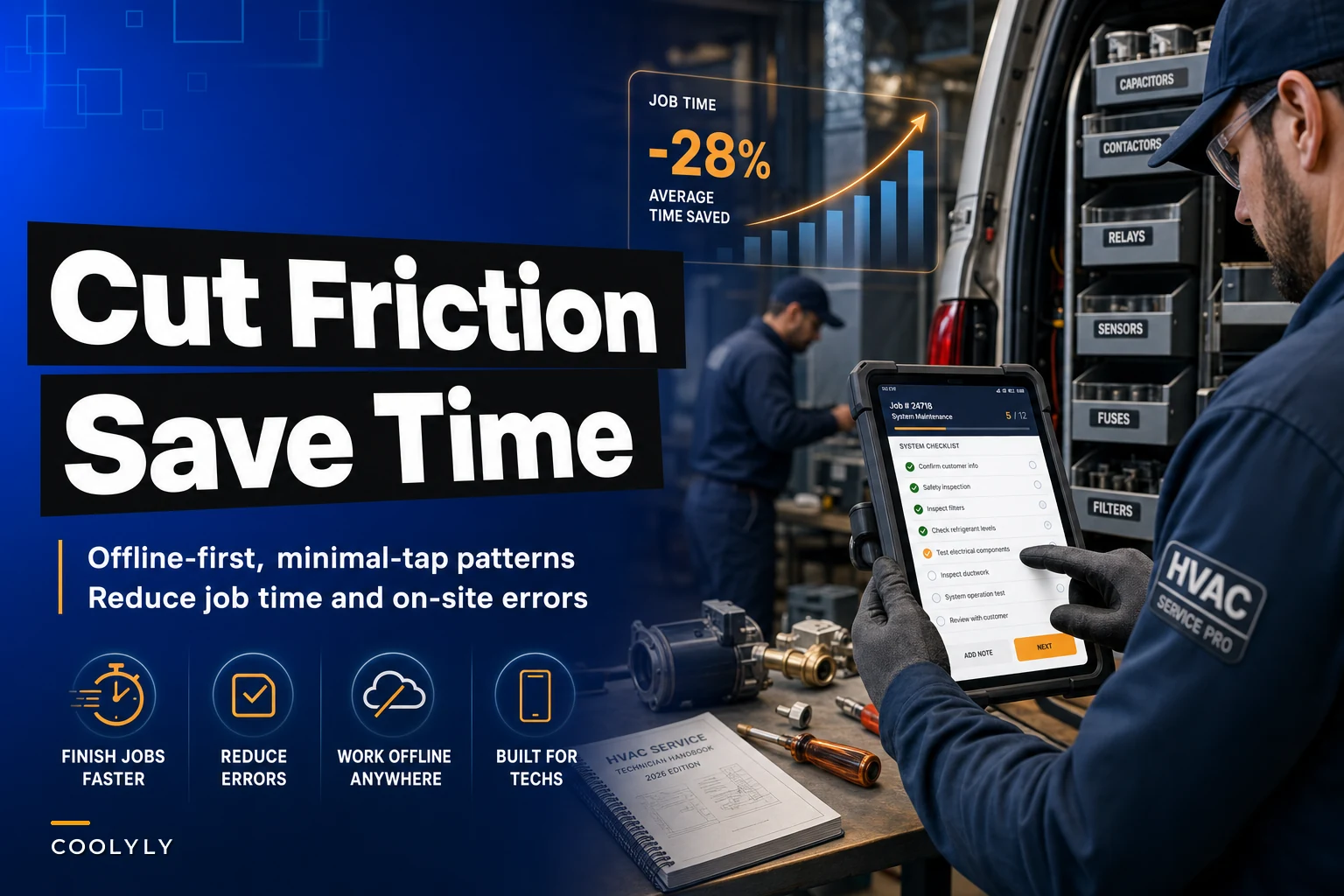

Picture your lead technician Mike standing in a 95-degree attic, sweating through his shirt, trying to complete a service form on his phone. The app freezes. He loses everything he entered. He climbs back down, walks to the truck to grab paper forms, fills them out by hand, then has to remember to enter it all later at home. That's 18 wasted minutes on a standard AC repair job.
Now multiply that friction across 12 techs doing 6 jobs per day. You're bleeding roughly 21 hours of productive time each day just from mobile interface problems.
After tracking operational data from hundreds of HVAC businesses, the pattern is consistent: bad mobile experiences directly correlate with longer job times, more callbacks, and frustrated technicians who eventually quit. The average HVAC tech spends 23% of their field time on documentation and administrative tasks. When your mobile tools create friction instead of reducing it, that percentage jumps to 31% or higher.
Why standard mobile apps fail in HVAC field conditions
Most mobile software wasn't built for HVAC reality. Generic field service apps assume perfect conditions: strong cell signal, clean hands, patient customers, and unlimited time to navigate complex menus. Your technicians face the opposite.
HVAC work happens in basements with no signal, on roofs in direct sunlight where screens become unreadable, in mechanical rooms so loud voice input fails, and with hands covered in refrigerant oil. Standard mobile interfaces that require precise taps, constant connectivity, and multiple screens to complete basic tasks simply don't work.
The fundamental disconnect happens because software companies design for demos, not daily operations. They build features that look impressive in sales presentations but create operational nightmares in actual field use. A beautiful dashboard means nothing if your tech can't quickly log a capacitor replacement while standing on a ladder.
Field friction compounds throughout the day. A tech who struggles with the morning's first job arrives late to the second. They rush through diagnostics, miss an upsell opportunity, forget to capture a required photo, then spend evening hours fixing documentation.
Mobile UX patterns that actually work for different HVAC job types
Diagnostic calls: single-screen checklists
Eliminate scheduling chaos and missed jobs.
Coolyly helps HVAC companies book, coordinate, and track every service efficiently.
- Unified appointment & dispatch management
- Automated client notifications
- Technician scheduling & job tracking
No credit card required
Diagnostic jobs need speed and completeness. Your tech should complete a full system check without navigating away from the main screen.
The working pattern includes single scrollable checklists with large tap targets of minimum 48x48 pixels. Auto-advancing after each selection keeps things moving, while visual progress indicators at screen top show completion status. Required photos should appear inline with checkpoints.
For a standard AC diagnostic, organize the checklist by physical location: outdoor unit first, then attic/furnace, then thermostats. Each section expands only when reached, keeping the screen uncluttered. Critical measurements like superheat and subcooling get dedicated number inputs with preset acceptable ranges that flag abnormalities automatically.
Installation jobs: milestone-based forms with photo gates
Installation workflows require evidence capture at specific stages. Breaking the process into clear milestones with photo requirements prevents missed steps and protects against damage claims.
Effective installation flow works through these stages:
-
Pre-installation photos (existing equipment, workspace)
-
Equipment removal confirmation
-
New equipment positioning photos
-
Connection verification checklist
-
Startup readings and test results
-
Final installation photos
-
Customer walkthrough confirmation
Each milestone blocks progression until required photos are captured. This feels restrictive but actually speeds completion by eliminating back-and-forth clarification calls.
Maintenance visits: pre-populated forms with exception handling
Preventive maintenance follows predictable patterns. Pre-populate forms based on equipment type and service history, requiring input only for exceptions.
A heat pump maintenance visit might pre-fill filter status as "Replaced," coil condition as "Clean," refrigerant levels as "Within spec," and electrical connections as "Secure." Techs tap only to flag exceptions, adding photos or notes when something differs from normal. This reduces a 15-minute form to 2 minutes for standard visits while ensuring thorough documentation for problems.
Emergency repairs: triage-first interface with parts lookup
Emergency calls need different UX entirely. The interface should guide rapid triage, parts identification, and customer communication.
Emergency repair flow starts with a quick problem classifier limited to 5 options maximum, followed by guided diagnostic based on selection. Next comes parts finder with visual identification, instant quote generator, customer approval capture, and completion documentation.
The parts finder deserves special attention. Include visual guides showing common failure points for each equipment type. When a tech identifies a bad capacitor, they tap the visual diagram, select the specific capacitor, and the system auto-populates the correct replacement part based on the equipment model already in the customer record.
Evidence capture rules that protect your business without slowing techs
Photo requirements feel like overhead until they prevent a $12,000 property damage claim. The trick is making evidence capture feel natural within the workflow rather than an additional burden.
Automatic photo prompts should trigger based on job type. Diagnostic visits need before/after thermostat settings, pressure readings, and visible damage photos. Installation jobs require old equipment serial, new equipment serial, electrical disconnect, and condensate line routing documentation. Repair calls need failed component, replacement part label, and test readings. Maintenance visits should capture filter condition, coil condition, and any noted issues.
Build smart photo rules into the workflow. If a tech marks "coil needs cleaning" but doesn't attach a photo, the form won't submit. This enforcement happens inline, not as an error message later. The camera opens automatically when they check that box.
Open the camera automatically when a tech checks a photo-related box so the capture feels like part of the task.
GPS and timestamp data should attach automatically to all photos. This creates an audit trail without any additional tech effort. When Mrs. Johnson claims her lawn was damaged during installation, you have timestamped photos showing the yard condition before and after the visit.
Voice notes offer another evidence layer for complex situations. Instead of typing lengthy explanations about why a system needs replacement, techs can record 30-second voice notes that capture nuance text never could.
Offline functionality that keeps jobs moving
Your software must assume zero connectivity. Every HVAC business loses productivity when techs can't access customer history, can't process payments, or can't close out jobs due to dead zones.
True offline capability means full customer history cached on device, complete parts catalog accessible without connection, form submission queuing for later sync, payment processing that batches when connected, and photo storage that doesn't block job completion.
Don't just cache the current job - cache the full day's route plus frequently accessed data. A tech arriving at a no-signal location should have everything needed already on their device.
Sync strategy prevents data conflicts. When multiple techs work the same customer (like during installation), establish clear ownership rules. The assigned lead tech's data takes priority during conflicts. Sync happens automatically when connection returns, with visual confirmation so techs know their work is saved.
For critical operations like payment processing, implement store-and-forward patterns. The tech can run the card, get a preliminary approval based on offline rules, then batch process when connected.
Field-specific interface patterns that reduce taps and confusion
The two-tap rule
Any common action should take maximum two taps from the home screen. Starting a job: one tap. Marking arrival: one tap. Opening camera for required photo: two taps max.
Group related actions into thumb zones. On a phone held in right hand, the bottom-right quarter of the screen is easiest to reach. Place your most-used actions there: "Complete Job," "Add Photo," "Call Customer." Less frequent actions like "View History" can live in harder-to-reach zones.
Visual job states
| Job State | Representation |
|---|---|
| En route | Green arrow + Driving |
| On site | Blue wrench + Working |
| Waiting on parts | Yellow clock + Parts Needed |
| Complete | Green check + Done |
Color alone isn't enough - many techs have some color blindness, and bright sunlight washes out subtle differences. Combine color with icons and text labels for job states like "En route: Green arrow + Driving," "On site: Blue wrench + Working," "Waiting on parts: Yellow clock + Parts Needed," and "Complete: Green check + Done."
Smart defaults based on patterns
Track what your techs actually do, then optimize defaults accordingly. If 89% of capacitor replacements use a specific part number, pre-select it. If maintenance visits average 47 minutes, set that as the default duration.
Measuring the impact: KPIs that prove mobile UX improvements
Time-per-job tells the clearest story. Track average job duration by type before and after mobile improvements. A residential AC diagnostic that took 78 minutes might drop to 63 minutes with better mobile tools - that's nearly 20% productivity gain.
Documentation completion rates reveal friction points. If only 60% of jobs have required photos attached, your evidence capture workflow needs work. After implementing inline photo prompts, this should jump above 90%.
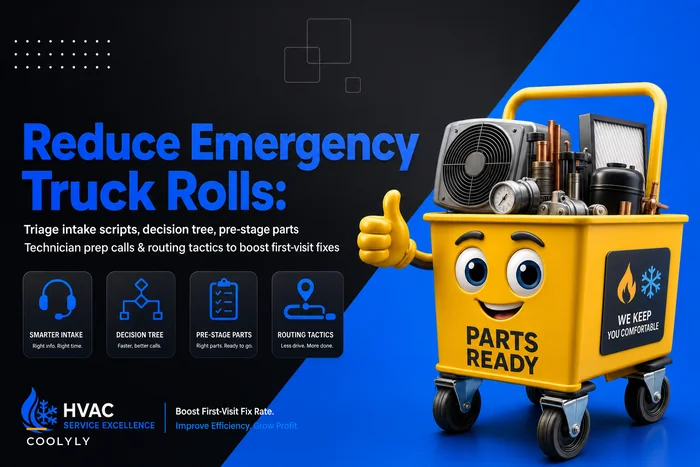
First-call completion rates improve when techs can access complete information on-site. Proper triage and prestaging helps, but mobile access to equipment history, past repairs, and parts compatibility drives this metric higher.
Error rates in data entry drop dramatically with good mobile UX. Measure incorrect part numbers entered, missing customer signatures, incomplete forms requiring office follow-up, and payment processing errors.
Tech satisfaction scores predict retention. Survey your techs quarterly about their tools. Ask specific questions: "How many times per day does the app frustrate you?" or "How much time do you spend on paperwork at home?"
Common mobile UX mistakes that kill field productivity
The everything-dashboard trap
Cramming every possible metric and option onto one screen creates paralysis. Your tech doesn't need to see monthly revenue targets while trying to diagnose a heat pump.
Tiny buttons and precise gestures
Refrigerant-covered fingers can't hit 20-pixel buttons. Minimum tap targets should be 48x48 pixels, better at 60x60 for critical actions. Swipe gestures fail with gloves on. Pinch-to-zoom is impossible with dirty hands.
Excessive confirmation dialogs
"Are you sure?" popups train techs to tap through without reading. Instead, make actions reversible. Let them "undo" the last action rather than confirming every step. The only exceptions: payment processing and customer sign-offs.
Required fields that aren't actually required
Forcing techs to enter data that could be inferred or isn't truly necessary creates resentment and workarounds. If technicians consistently enter "N/A" or "123" in a field, it shouldn't be required.
Sample forms optimized for HVAC workflows
Quick Diagnostic Form
[Customer Name - Auto-filled] [Equipment Type - Auto-filled from history] SYSTEM STATUS (Large toggle buttons) ○ Running ○ Not Running ○ Intermittent IMMEDIATE ISSUE (Single select) □ No cooling □ No heating □ Strange noise □ Water leak □ High bill concern □ Other [voice note] QUICK READINGS Suction pressure: [__] psig Head pressure: [_] psig Supply temp: [_]°F Return temp: [_]°F Amp draw: [__] A [Auto-calculated superheat/subcooling appears here] RECOMMENDED ACTION (Single select) □ Repair now [Opens parts selector] □ Quote repair [Opens estimate builder] □ Replace system [Opens replacement workflow] □ Monitor only [Schedule follow-up] [Large "Add Photo" button] [Large "Complete Check" button]
This form takes under 3 minutes to complete and captures everything needed for most diagnostic calls.
Installation Checkpoint Form
STAGE 1: REMOVAL ☐ Before photos captured [Required: 3 photos] ☐ Old equipment model recorded ☐ Power disconnected and tagged ☐ Refrigerant recovered ☐ Equipment removed [Proceed to Stage 2] STAGE 2: PLACEMENT ☐ New equipment positioned ☐ Level confirmed [Photo required] ☐ Clearances verified ☐ Condensate line routed [Proceed to Stage 3] [Continue through stages...]
Each stage locks until completed, ensuring nothing gets missed during complex installations.
Building your mobile-first field operation
The path from paper forms to optimized mobile workflows doesn't happen overnight. Start with your highest-volume job type - probably diagnostic calls or maintenance visits. Build and test one optimized workflow completely before moving to the next.
Involve your techs from day one. They know exactly where current tools fail. Watch them work in real conditions, not in the office. That beautiful form you designed might be unusable in a dark crawlespace with no cell signal.
Use a clear step-by-step workflow for rolling out mobile-first changes.
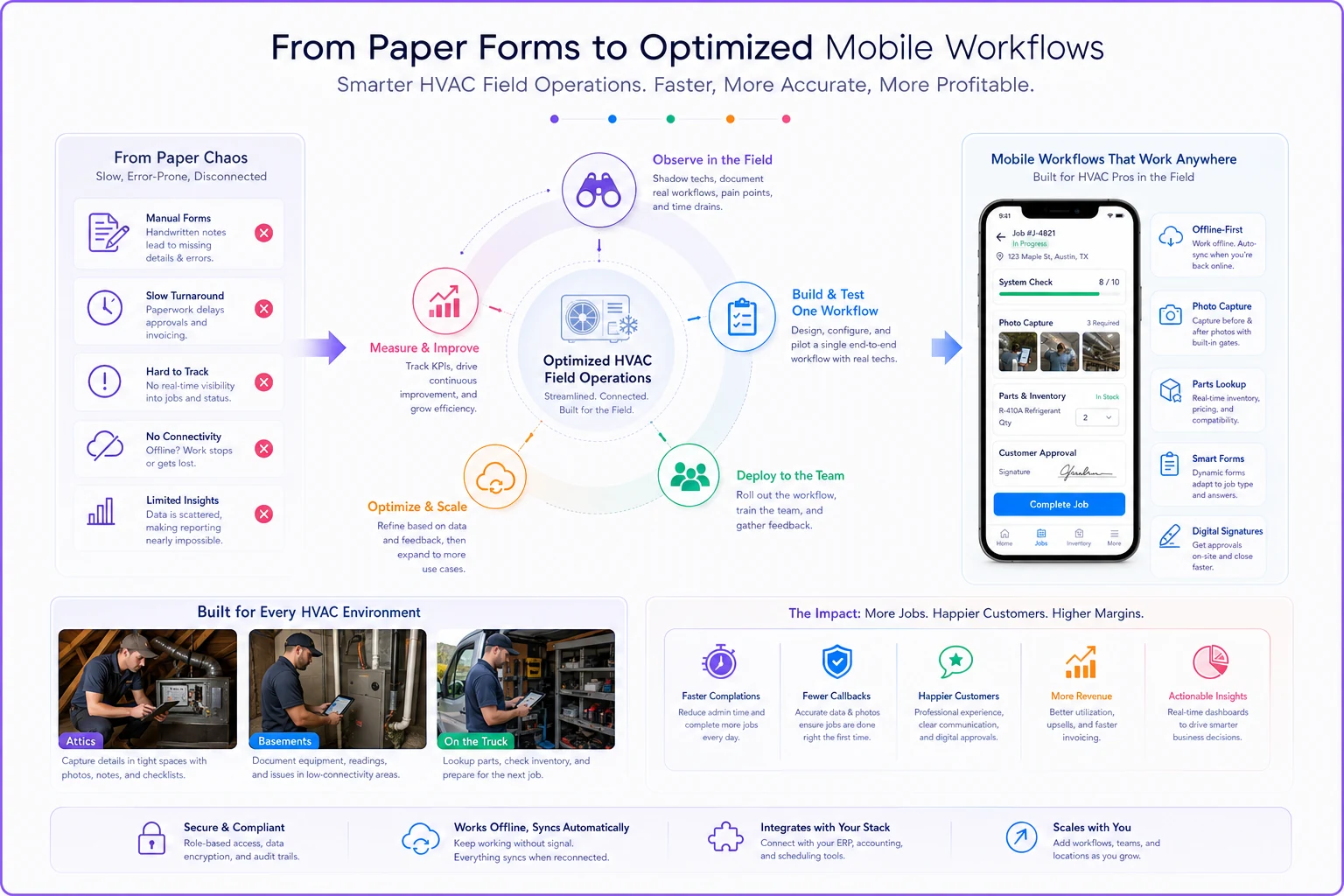
Modern operational platforms can enforce these mobile patterns while connecting to your broader business systems. The right platform pre-loads customer data, enforces evidence capture, handles offline scenarios, and automatically triggers follow-up opportunities based on field findings.
A tech doing 6 calls per day who saves just 3 minutes per call through better mobile UX gains 18 minutes of productive time. Across a 10-tech team, that's 3 hours daily - enough for 2-3 additional service calls.
Your field team's mobile experience directly impacts customer satisfaction, job profitability, and technician retention. When tools work with your techs instead of against them, jobs complete faster, documentation improves, and everyone goes home on time. The question isn't whether to improve your mobile field tools - it's how quickly you can eliminate the friction that's costing you money every single day.
Your field team's mobile experience directly impacts customer satisfaction, job profitability, and technician retention. When tools work with your techs instead of against them, jobs complete faster, documentation improves, and everyone goes home on time. The question isn't whether to improve your mobile field tools - it's how quickly you can eliminate the friction that's costing you money every single day.
Ready to optimize your HVAC operations?
Join hundreds of HVAC businesses using Coolyly to save time, improve technician utilization, and enhance customer satisfaction.