

Pull your last 200 completed service tickets and cross-reference them against your Google reviews from the same period. Most HVAC shops find something uncomfortable: the jobs that went perfectly — first-time fix, tech was early, customer was thrilled — produced almost no reviews. Meanwhile the two 1-star reviews came from jobs that were genuinely messy.
That's not bad luck. Happy customers have zero urgency to act. Angry ones have plenty. So if your review pipeline depends on customers deciding on their own to go leave feedback, you're structurally biased toward negative reviews and leaving your best jobs completely uncaptured.
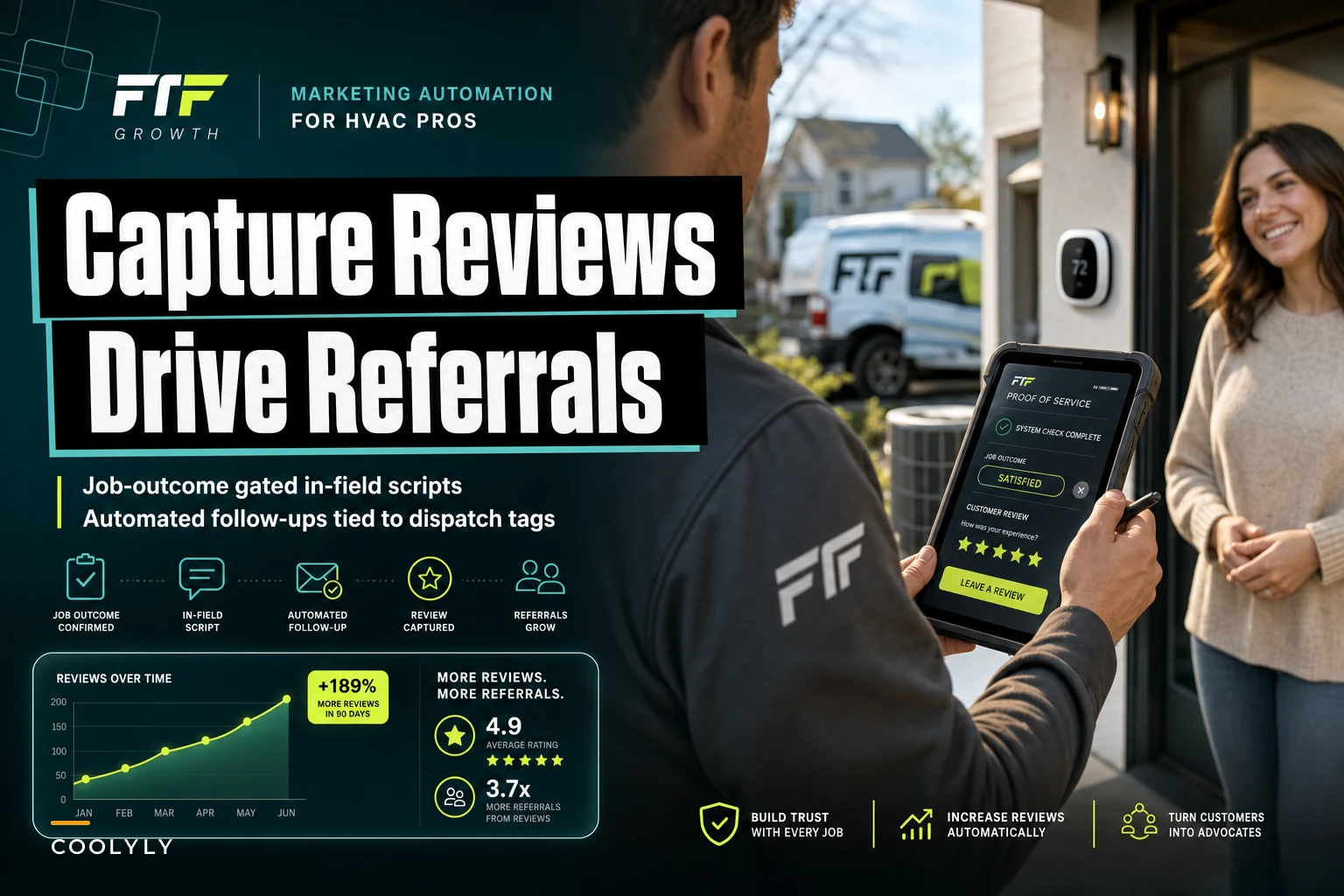
The fix isn't "ask for more reviews." Everybody says that and it doesn't move the needle. The fix is deciding which specific jobs deserve the ask, who asks, at what exact moment, and what happens automatically afterward. That's what actually drives review conversion for HVAC teams — not motivation, but a repeatable process gated on job outcome signals you already have in your system.
Why the "just ask" advice fails in the field
Techs are standing in the customer's house at the moment of maximum goodwill. They're also the worst-positioned people to reliably run a review ask — and not because they're bad at their jobs.
Think about the tech's headspace at close-out. They're wrapping paperwork, they've got two more stops, they're mentally already in the van. Asking for a review feels salesy, especially if they're not sure the customer is actually happy. So most techs skip it, or mumble something like "hey if you get a chance leave us a review" that converts almost nothing.
-
Techs skip the ask because it's awkward or they forget
-
When they do ask, timing and job selection are all over the place
The result is a review rate that floats around 3–6% of completed jobs for most shops, when a tuned process can get you into the 15–25% range on qualifying jobs.
The core idea: gate the ask on outcome signals, not on the tech's mood
Review asks feel awkward because shops trigger them on every job the same way. The trick is to only ask when jobs clear a quality bar — and to let the tech's in-field ask be light while the automated follow-up does the actual work.
Eliminate scheduling chaos and missed jobs.
Coolyly helps HVAC companies book, coordinate, and track every service efficiently.
- Unified appointment & dispatch management
- Automated client notifications
- Technician scheduling & job tracking
No credit card required
You already have the signals. In most dispatch and field systems these live as tags or ticket fields:
-
First-time fix — resolved on one visit, no return trip needed
-
On-time arrival — tech hit the window
-
No callback within X days — the job stuck
-
Payment collected cleanly — no dispute, no "I need to talk to my spouse"
-
Job type — maintenance and simple repairs convert way better than emotionally charged big-ticket replacements
The thing most owners miss: a review ask is only as good as the job it's attached to. Asking on a shaky job doesn't just fail — it actively invites a bad review. So the gating logic protects you in both directions.
| Job signal | Review ask? | Why |
|---|---|---|
| First-time fix + on-time + paid clean | Yes, full sequence | Peak goodwill, low risk |
| Multi-visit repair, finally resolved | Yes, but delay 3–4 days | Let relief settle before asking |
| Callback / return trip logged | No | Wait until it's actually fixed |
| Price dispute or partial payment | No | High risk of negative review |
| Big replacement, customer hesitant on cost | Manual review by CSR first | Judgment call, not automatic |
The delayed-ask row matters more than people expect. On a job that took two visits, asking the same afternoon the tech leaves gets you a lukewarm response. Waiting a few days — enough for the customer to notice their house is finally comfortable — flips the sentiment.
Suppress the ask on jobs with payment issues to avoid inviting negative reviews.
One mistake to avoid: don't let techs improvise the ask on jobs the system didn't clear. If the ticket has a callback flag or a payment issue, the app shouldn't even surface the review script. Suppressing the ask on bad jobs is half the value.
The in-field script: keep it a handoff, not a pitch
The tech's job at close-out is not to get the review. It's to set up the follow-up. That reframe takes the pressure off, and techs actually run it because it feels like part of wrapping the job rather than a sales move.
> "Alright, you're all set — the [unit] is running right and you shouldn't see that issue again. We follow up with a quick text to make sure everything's still good a couple days out. If you're happy with how today went, that text'll have a link to leave a quick note about [Tech's name] — takes about 20 seconds and it genuinely helps us out. Cool if we send that?"
-
It re-confirms the fix out loud. The customer verbally agreeing "yeah, it's working great" is a soft commitment that makes the later review far more likely.
-
It names the tech. Reviews that mention a technician by name convert future callers better, and techs care more about a review with their name on it.
-
It asks permission for the follow-up, not the review itself. Nobody says no to "cool if we send a text?" That yes becomes the trigger for the automated sequence.
The tech then flags the ticket — one tap, a "review-eligible" tag — and moves on. That's the only thing they're responsible for. Everything downstream is automated.
One mistake to avoid: don't let techs improvise the ask on jobs the system didn't clear. If the ticket has a callback flag or a payment issue, the app shouldn't even surface the review script. Suppressing the ask on bad jobs is half the value.
The automated follow-up sequence
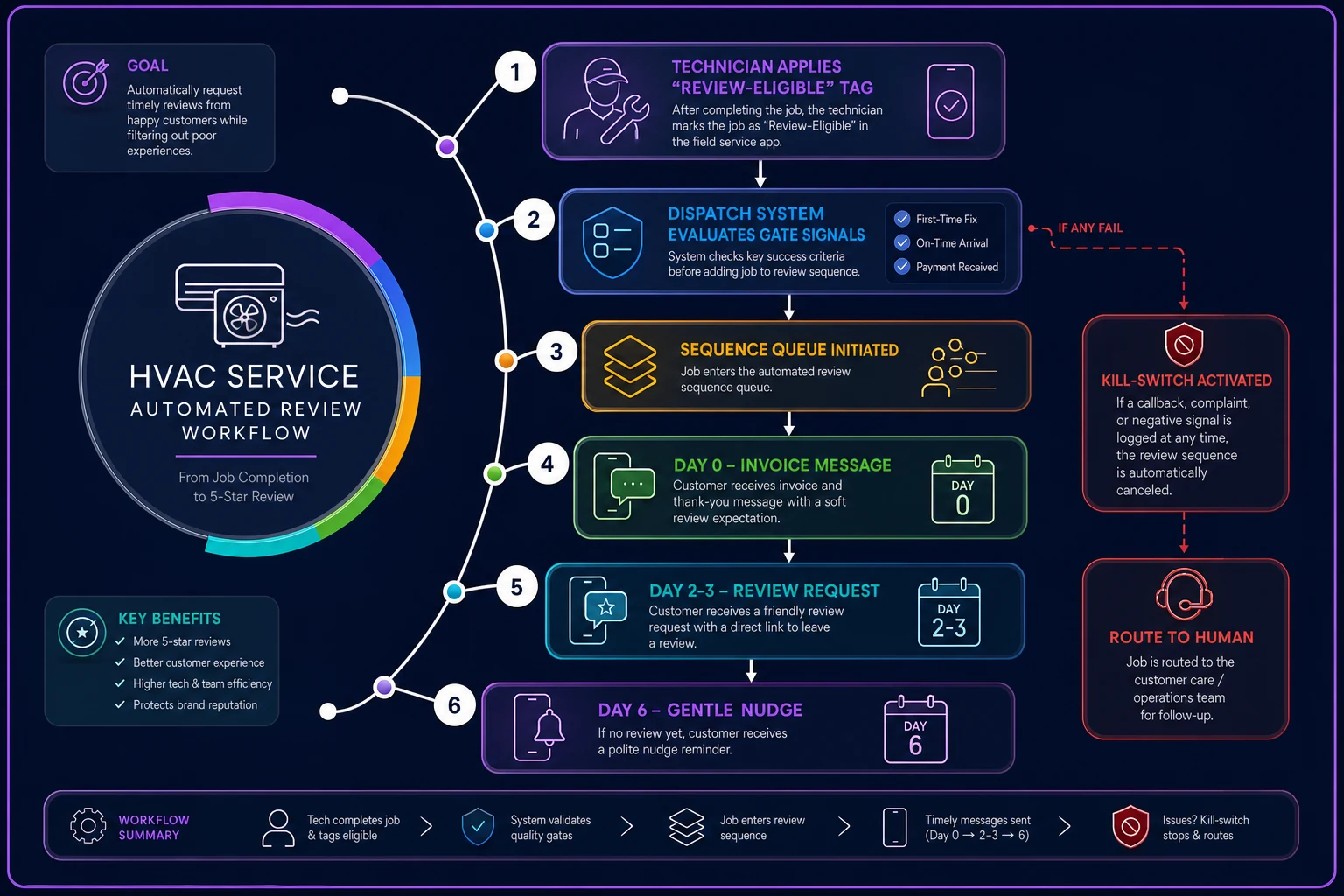
Once the ticket is tagged review-eligible and the job clears the gate — first-time fix confirmed, no callback logged, payment settled — the sequence fires on its own. This is where the operational software earns its keep. No CSR has to remember to do any of this.
-
Day 0, evening No review ask yet. Just a "thanks, here's your invoice and a photo of the completed work" message. Warms the channel, confirms the phone number is live.
-
Day 2–3, midday The actual review request. Direct link to Google (or wherever you're prioritizing), tech named, one line, one link. Midday on a weekday beats evenings for response rate.
-
Day 6, if no response One soft nudge. "No pressure — if you have a sec, [Tech]'s link is here." Then stop. A third ask damages the relationship.
-
Kill switch on any negative signal. If a callback ticket gets created or the customer replies with any complaint, the sequence halts immediately and routes to a human. You never want an automated review request going out the same day someone's system stopped working again.
-
One review, one channel per job. Don't blast them to Google and Facebook and your site. Pick the platform that matters most and send everything there.
The workflow, plainly: dispatch closes the ticket → system checks the gate conditions → if the tech applied the review-eligible tag and the job passed, the sequence enters a queue → messages fire on schedule → any negative reply or new callback ticket pulls that customer out automatically. No spreadsheet, no CSR chasing.
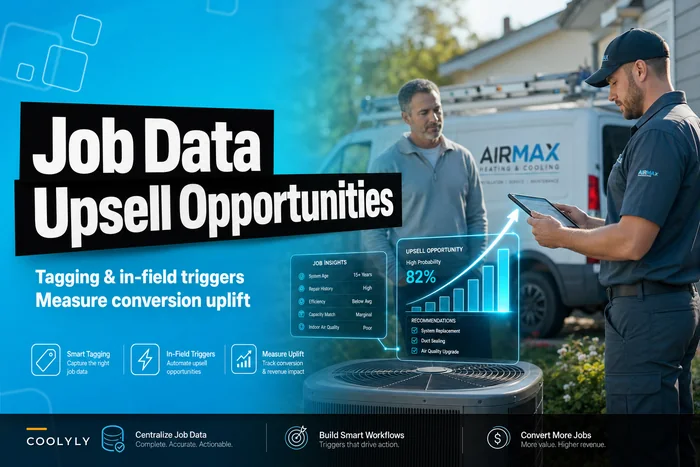
If you've already built out tagging for other post-job workflows — and a lot of shops have, especially those running completed-job data into upsell and retrofit triggers — you're mostly extending logic you already have rather than building from scratch. The review-eligible tag sits right alongside your upsell tags on the same ticket.
Here's the workflow visually:
If you've already built out tagging for other post-job workflows — and a lot of shops have, especially those running completed-job data into upsell and retrofit triggers — you're mostly extending logic you already have rather than building from scratch. The review-eligible tag sits right alongside your upsell tags on the same ticket.
Turning the review into the referral (this is the part shops skip)
A review is social proof for strangers. A referral is a warm lead from someone who already trusts you. Most shops treat these as two separate campaigns. They shouldn't be — the customer who just left you a 5-star review is in exactly the right emotional state to refer, and that window closes fast.
> "Thanks so much for the kind words about [Tech] — that genuinely helps. If you've got a neighbor or family member who's been putting off a tune-up, here's a link that gives them $25 off and gets you $25 too."
The reason to gate the referral ask on a completed positive review rather than just a good job: the review completion proves they're willing to advocate publicly. That's a far stronger predictor of a successful referral than the job going well alone.
Keep the incentive real but modest. In HVAC, a small dual-sided credit ($25/$25 range) consistently outperforms a big one-sided one because it removes the awkwardness of the customer feeling like they're selling to their friend.
A real scenario
A residential HVAC shop running eight trucks in a mid-size metro was closing roughly 340 service jobs a month. Their Google review rate sat around 4% — call it 13–14 reviews monthly, and a chunk of those were negative because unhappy customers were the only ones self-motivated to write.
-
First, dispatch tags gated which jobs became review-eligible — first-time fix, on-time, clean payment.
-
Second, techs ran the short handoff script only on those cleared jobs and applied the tag.
-
Third, the automated sequence handled the actual asks on a Day 0 / Day 2–3 / Day 6 cadence, with a hard kill switch on any callback.
Over about two months, review rate on qualifying jobs climbed to somewhere in the 18–20% range. Because the gate suppressed asks on shaky jobs, the negative review rate actually dropped — they stopped inviting angry customers to vent publicly. Monthly review volume went from the low teens to somewhere around 40–50, and the referral branch started producing a handful of booked jobs a month that cost almost nothing to acquire.
Nothing about that required techs to do more work. If anything they did less, because the app stopped surfacing the ask on jobs that would've been awkward anyway.
When this makes sense — and when it doesn't
This works well when:
-
You already tag or field-flag first-time fix and callback status in your dispatch system
-
You do enough volume that manual review-chasing is inconsistent
-
Your job quality is genuinely good and you're just failing to capture it
This is a bad idea when:
-
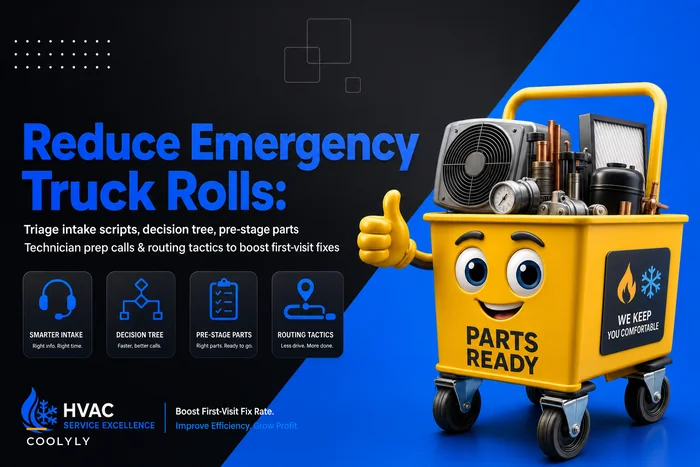
Your callback rate is high and unaddressed. You'll just be automating the amplification of problems. Fix the emergency truck rolls and repeat-visit issues first — asking for reviews on a shaky book of business backfires fast.
-
You don't have reliable outcome signals in your system. Without a trustworthy first-time-fix or callback flag, the gate can't protect you, and you'll ask on the wrong jobs.
Who should not automate this yet: shops where the CSR team can't tell you, per job, whether it was a first-time fix. If that data is fuzzy or lives in someone's head, build the tagging discipline before you build the sequence. The automation is only as good as the signal it triggers on.
Where to start
Shortest path to a working version, in order:
-
Pull last 90 days of jobs and find your actual review rate on good jobs specifically
-
Confirm your dispatch system reliably captures first-time-fix, on-time, and callback signals
-
Write the one-line gate
which combination of signals makes a job review-eligible
-
Give techs the handoff script and a single tag to apply — nothing more
-
Build the three-touch sequence with a kill switch on callbacks and complaints
-
Add the referral branch that fires only after a positive review completes
The whole thing lives or dies on one principle: you're not asking more customers for reviews — you're asking the right customers at the right moment and letting automation handle the parts humans forget. The techs stay focused on the work, the shaky jobs get protected from a public ask, and the great jobs finally start producing the proof they deserve.
The whole thing lives or dies on one principle: you're not asking more customers for reviews — you're asking the right customers at the right moment and letting automation handle the parts humans forget. The techs stay focused on the work, the shaky jobs get protected from a public ask, and the great jobs finally start producing the proof they deserve.
Ready to optimize your HVAC operations?
Join hundreds of HVAC businesses using Coolyly to save time, improve technician utilization, and enhance customer satisfaction.